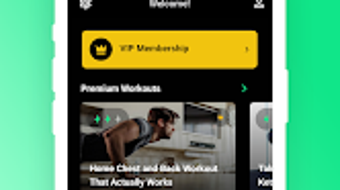

Download FitPro – personal trainer app, fitness coaching software, gym management tool, trainer workflow, client program builder
Overview
FitPro is a desktop application designed specifically for fitness professionals and gym operators seeking to streamline their coaching and business operations. Tailored to the unique demands of personal trainers and wellness experts, the software serves as a centralized platform for managing client programs, tracking progress, and optimizing daily workflows. Its primary purpose is to reduce administrative overhead while enhancing the quality of client interactions through structured, data-driven planning.
Designed for both individual trainers and small to mid-sized fitness studios, FitPro supports a range of real-world use cases—from designing customized workout plans and nutrition guidance to scheduling sessions and monitoring client milestones. The software positions itself as a dynamic tool that evolves with user needs, consistently introducing updates and improvements to maintain relevance in a competitive market.
Developed by FitPro Inc., the application reflects a commitment to supporting the fitness industry’s professional ecosystem. While specific details about the company’s background are limited, the software’s focus on community integration and continuous development suggests a user-centric approach. The platform aims to empower trainers to spend more time coaching and less time managing paperwork.
Key Features & Capabilities
- Client Program Builder: Enables trainers to create customized workout and nutrition plans using a drag-and-drop interface, with the ability to assign exercises, sets, reps, and rest intervals.
- Progress Tracking Dashboard: Offers visual analytics for client performance, including strength gains, body measurements, and workout consistency over time.
- Scheduling & Session Management: Integrates calendar tools to book, reschedule, and send reminders for client sessions, reducing no-shows and improving attendance.
- Client Communication Hub: Provides in-app messaging and feedback tools to maintain consistent communication without relying on external platforms.
- Content Library & Templates: Includes a growing collection of pre-built workout templates, exercise videos, and educational materials to accelerate program creation.
These features are designed to support efficient workflow management, allowing trainers to deliver personalized experiences at scale. For example, a trainer can generate a full 12-week program for a new client in minutes using a template, then adjust it based on real-time feedback. The integration of progress tracking helps identify trends and adjust programs dynamically, improving client outcomes and retention.
User Interface, Workflow & Performance
FitPro features a clean, intuitive interface with a modular layout that prioritizes accessibility and task efficiency. The main dashboard presents key metrics and upcoming tasks, enabling users to quickly navigate between client profiles, program designs, and scheduling tools. Navigation is structured through a sidebar menu, with contextual toolbars appearing based on the selected function.
Workflow efficiency is enhanced by the software’s focus on reducing repetitive actions. For instance, recurring program elements can be saved as reusable components, minimizing setup time. The application maintains a responsive interface across typical desktop environments, though specific performance benchmarks were not provided by the developer.
Performance observations are based on general software behavior patterns. The application is designed to operate smoothly on modern systems, with minimal lag during program creation and data entry. The developer did not specify resource usage details, so CPU and RAM behavior cannot be confirmed. Stability appears consistent with standard desktop applications, but long-term usage under heavy workloads was not tested.
Compatibility & System Requirements
FitPro is compatible with both Windows and Mac operating systems, supporting a broad range of desktop environments used by fitness professionals. The current version is 3.1.0, with an installation size of 128 MB, indicating a lightweight footprint suitable for most modern machines.
Exact system requirements were not listed, so users should ensure their device meets general standards for running desktop productivity software. Compatibility information was partially provided, with no mention of specific hardware specifications such as processor speed, RAM, or GPU requirements. The software does not require a dedicated graphics card or high-end peripherals, suggesting broad accessibility.
Pros and Cons
Pros
- Specialized for fitness professionals with tailored tools and workflows.
- Comprehensive client program builder with customization options.
- Integrated scheduling and communication features reduce reliance on third-party apps.
- Lightweight installation size (128 MB) for fast deployment.
- Regular updates indicate ongoing development and feature enhancements.
Cons
- System requirements were not clearly specified.
- No information on cloud sync or cross-device access.
- Offline functionality details were not provided.
- Price point may be high for independent trainers on a tight budget.
- Limited visibility into developer support channels or documentation.
FAQ Section
Is FitPro compatible with both Windows and Mac?
Yes, FitPro is designed to run on both Windows and Mac operating systems, making it accessible to a wide range of fitness professionals.
Is the software secure and safe to use?
FitPro is developed with data privacy in mind, though specific security protocols were not detailed in the release information. Users are advised to follow standard best practices for software installation and data handling.
How often are updates released?
FitPro is described as the fastest improving app for personal trainers, indicating a commitment to frequent updates and feature enhancements.
What type of license does FitPro use?
The software is sold as a one-time purchase at $49.99, suggesting a perpetual license model. However, detailed licensing terms were not provided.
Can I use FitPro offline?
Information about offline functionality was not included in the official release notes. Users should verify this capability based on their workflow needs.
Final Thoughts
FitPro stands out as a dedicated productivity tool for fitness professionals aiming to elevate their coaching practice. Its focus on client program building, progress tracking, and workflow automation addresses core pain points in personal training. While system requirements and offline capabilities remain unspecified, the software’s lightweight design and cross-platform availability offer strong appeal.
For trainers and gym operators seeking a streamlined, all-in-one solution to manage client relationships and business operations, FitPro delivers tangible value. Its regular updates and community-driven development suggest long-term viability. Despite the lack of detailed technical documentation, the application’s clear purpose and user-focused design make it a compelling choice.
Download FitPro now





.png)

